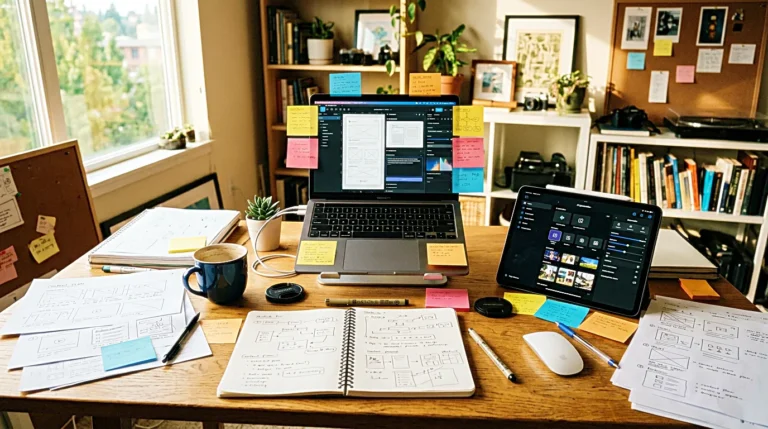
AI tools for creators can make everything feel possible.
A rough idea can become an outline. A messy paragraph can become cleaner. A title can turn into ten different versions. An image prompt can become a full visual direction before the draft is even finished. At first, that feels like speed. Then the folder starts to fill up.
There are draft files, prompt notes, title lists, image ideas, saved examples, half-finished outlines, and one more document called final that is not really final. The tools are working. The problem is that the work still feels scattered.
That is when another app does not always help.
Sometimes the creator does not need a better AI tool. Sometimes the creator needs a system that can carry the work from idea to publish.
More output can make the work heavier
AI tools are good at making more.
More ideas, more titles, more drafts, more angles, and more versions can be helpful when the problem is a blank page. It becomes less helpful when the real problem is already too many unfinished pieces.
A solo creator usually does not lose time only because writing is slow. Time also disappears in small places: deciding which idea to keep, finding the latest draft, checking which title was better, remembering where the image prompt went, and opening the same files again the next day.
That kind of delay is quiet. It does not look like wasting time. It looks like managing the work. But if the system is weak, managing the work can slowly become the work itself.
The system should decide where each idea goes
Before choosing another AI tool, it helps to decide where every idea should go.
This sounds simple, but it changes the whole routine. If ideas are saved in five different places, the creator has to search before starting. If drafts are scattered across apps, the next step becomes unclear. If image prompts are mixed with article notes, the workflow starts to feel noisy.
A small system can be enough. One place for raw ideas, one place for active drafts, one place for image prompts, one place for published links, and one simple checklist before uploading. It does not need to look advanced. It only needs to be clear enough to repeat.
AI tools for creators work better when the system already knows where the idea, draft, asset, and final post should go.
That is the difference between using AI and being pulled around by it.

A creator workflow starts before the first draft
Many creators think the article begins when writing begins.
But the creator workflow starts earlier. It starts when an idea appears and needs a place to land. It starts when a keyword is saved, a rough title is tested, or a future internal link is noticed. If those early steps are unclear, the draft can feel heavy before the writing even starts.
A simple system should answer a few basic questions. Where do new ideas go? How do I know which idea becomes the next post? Where do I keep the main keyword? Where do I save the title options? Where does the final version live after publishing?
These questions are not exciting, but they reduce friction. AI can help shape the draft, but the system helps the creator return to it without rebuilding the whole thought from the beginning.
A good AI tool should have one clear job
A tool becomes confusing when it has no boundary.
If the same AI tool is used for research, writing, rewriting, SEO, titles, images, outlines, planning, and storing ideas, the work can become blurry. The creator opens the tool, but the job is not clear. The screen is ready, but the decision is not.
That is why role separation matters. One tool can be used for rough thinking. One tool can help with structure. One tool can help polish the draft. One tool can support images or visual direction. The point is not to use many tools. The point is to know why each tool is being opened.
When a tool has a job, it is easier to close it.
That part matters more than it sounds. A good AI tool should not keep the creator wandering. It should help one step move forward and then get out of the way.
The handoff decides how fast the work feels
The slowest part of AI content creation tools is often not the tool itself.
It is the handoff between tools. An idea starts in one app. The outline moves to another. The draft goes somewhere else. The image prompt is saved in a separate note. The final title is copied into the website editor. The published URL is added later, if the creator remembers.
Each step feels small on its own. But when those steps repeat for every article, every image, and every update, the routine becomes heavier than it needs to be.
This is why the handoff needs a fixed path. The creator should know where the idea begins, where the draft moves, where the image assets stay, and where the published result is tracked. Without that path, even strong AI tools can make the work feel scattered.
A clear handoff does not make the work glamorous. It makes the work easier to finish.
A simple checklist can save more time than another app
A publishing checklist sounds boring.
That is why it works.
Before publishing, the creator should not have to remember every small task from scratch. The title, slug, meta description, image filename, alt text, internal link, category, and final read should all have a simple place in the routine.
Without a checklist, the same questions come back every time. Did I choose the final title? Did I rename the image? Did I add alt text? Did I place the internal link? Did I check the opening paragraph? Did I save the published URL?
These are small decisions, but repeated small decisions drain attention. A checklist does not make the work more creative. It protects the creative work from being interrupted by the same tiny choices again and again.

The folder structure is part of the workflow
A messy folder can slow down a creator as much as a messy draft.
When image files, prompt notes, draft versions, and final copy are stored together, the creator has to keep remembering what each file means. That memory cost is small at first. After many posts, it becomes heavy.
A simple folder structure can make the work calmer. One folder for drafts, one folder for images, one folder for prompts, and one folder for published assets. Inside each post folder, the naming can stay predictable: draft, final, image one, image two, image three, and notes.
The goal is not perfect organization. The goal is being able to return quickly. A good content system helps the creator find yesterday’s work without rebuilding yesterday’s thoughts.
The system should be smaller than the ambition
Creators often build systems that match the dream, not the day.
The dream is a full content machine. Articles, videos, newsletters, shorts, images, product pages, social posts, and analytics all connected. It looks good on paper. It feels serious. It makes the creator feel like the business is becoming real.
But the daily routine may be much smaller. One article, one image set, one internal link, one published URL, and one small improvement from the previous post. That is enough for many days.
A system that is too large can create guilt. The creator sees all the steps that were supposed to happen and feels behind before starting. A smaller system is easier to trust because it matches the real pace of the work.
The right system is not the one that can handle everything. It is the one you still use on a tired afternoon.
The next tool should solve a named problem
There is nothing wrong with trying new AI productivity tools.
The problem starts when the reason is vague. If the reason is “this looks useful,” the tool may become another tab. If the reason is “my image prompts are scattered,” “my titles take too long,” or “my drafts need a cleaner review step,” the decision becomes clearer.
The next tool should solve a named problem, not a general feeling. It should not be added because another creator uses it, or because the dashboard looks impressive, or because it promises to make everything faster.
A named problem gives the tool a place to stand. Without that place, the tool has to create its own reason to exist in the workflow. That usually leads to more checking, more comparing, and more unfinished work.
A system makes the work feel quieter
AI tools for creators can help a lot.
They can reduce blank page pressure, shape rough notes, compare title angles, clean up dense paragraphs, and support repeated publishing tasks. Used well, they can make solo work feel less heavy.
But the tool is only one part of the routine. The system decides whether the work becomes clear or scattered. It decides where the idea goes, where the draft lives, where the assets stay, and how the final post gets published.
Before adding another app, it is worth looking at the system already on the desk. Where do ideas land? Where do drafts move? Where do images stay? Where does the final post get tracked?
Those answers do not need to be complicated. They only need to be clear enough to use again tomorrow.
The best AI tools for creators are not always the ones with the most features. Sometimes they are the ones that fit into a system quiet enough to finish the work.
Related FAQ
It should occupy one clear role. If another tool already handles the same job, adding AI YouTube creator tools may create overlap instead of a cleaner system.
AI tool stack is worth paying for when it saves review time, improves clarity, or keeps a creator publishing more consistently. If it only creates more testing and setup work, the free option may be enough.
The main risk is tool drift. A creator can spend more time testing AI publishing workflow than publishing, so the tool should be judged by output quality and saved attention.
AI title testing tools is worth paying for when it saves review time, improves clarity, or keeps a creator publishing more consistently. If it only creates more testing and setup work, the free option may be enough.
The main risk is tool drift. A creator can spend more time testing AI newsletter tools than publishing, so the tool should be judged by output quality and saved attention.
Before You Go
Paid links- Advertisement -