
The article looked almost ready, but it was not moving. The outline was in one app, the draft was in another, and the keyword notes were still sitting in a browser tab from yesterday. An AI tool had already helped with the title. Another one was waiting for the image prompt. Somewhere in the middle, the work had started to feel busy without becoming clearer.
That is a familiar problem for solo creators. The screen looks active, the tools look useful, and every tab seems to have a reason to stay open. Still, the next step feels strangely hard to choose. The content is not blocked because there are no tools. It is blocked because the path from idea to published post has become too scattered to follow.
A content creation workflow matters most at that moment. It is not a fancy productivity system or a dashboard made to look organized. It is the route a piece of content takes from a rough idea to something published, checked, and ready to connect with the rest of the site.
AI tools for creators can help a lot inside that route. They can shape ideas, clean up paragraphs, compare titles, build image prompts, and check whether the article still matches search intent. But when the route itself is unclear, another AI tool becomes one more place to look, one more output to compare, and one more reason the draft does not move forward.
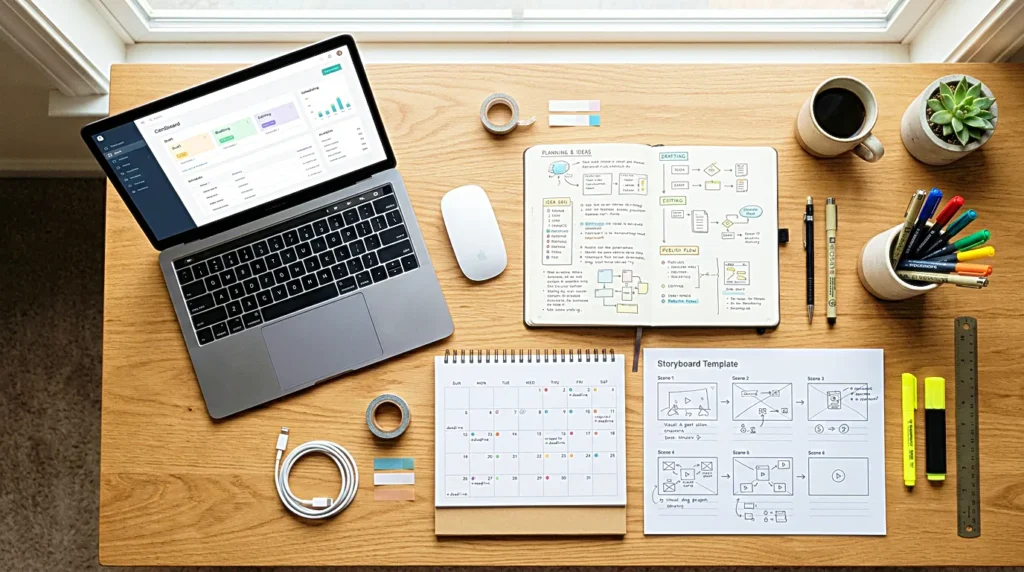
The draft was not stuck because the tool was weak
It is easy to blame the app when a content workflow slows down. A better writing tool sounds like the answer. A better SEO tool feels necessary. A better AI workflow promises to make everything faster. Sometimes the tool really is the problem, especially when it creates friction every time you use it. More often, though, the delay starts before the tool has a chance to help.
The idea has not been narrowed. The reader’s problem is still vague. The keyword is chosen, but the search intent has not been turned into an outline. The draft exists, yet no one has decided whether it needs editing, formatting, images, internal links, or a final publishing checklist. In that condition, even a strong tool can only produce more material for a process that has no clear next place.
A content creation workflow begins when each part of the work knows where it goes next. An idea should not become five disconnected notes. A draft should not live beside three older versions with similar names. Keyword research should not sit outside the article until the final edit, when it starts to feel like something forced into the paragraphs. The clearer the route becomes, the easier it is to see which tool is actually useful.
The workflow should make the next step visible
A good content workflow does not need to be complex. It needs to make the next step visible before the creator loses energy deciding what to do. If an idea appears, there should be one place where it lands. If a main keyword is chosen, the reason behind that keyword should be written before the outline grows. If a draft is finished, the next move should not depend on memory.
This matters because content creation is rarely just writing. A blog post moves through content planning, search intent, outlining, drafting, editing, image preparation, alt text, metadata, category choice, tags, publishing, indexing, and internal linking. When those steps are not connected, the creator keeps paying a small tax. The same file gets opened twice. The same keyword gets checked again. The same title gets rewritten without knowing what promise it is supposed to keep.
A blog workflow becomes calmer when the article has a visible path. The draft does not need to become perfect in one sitting. It only needs to move to the next correct stage. That small distinction changes the mood of the work. The creator stops asking, “Which tool should I open now?” and starts seeing where the piece of content actually is.
Search intent should enter before the outline gets crowded
SEO becomes awkward when it arrives too late. The draft may read smoothly, but if the search intent was not part of the outline, the article can miss the reason the reader arrived. Then the edit turns into patchwork. A keyword is added here, a related phrase appears there, and the piece starts to sound like it is trying to satisfy a search engine after the fact.
A stronger content creation process brings search intent in earlier. Before the outline becomes full, the article needs to know what kind of problem it is answering. Someone searching for content creation workflow may want a process. Someone searching for content workflow may want a simpler structure for repeated publishing. Someone searching for AI tools for creators may be comparing apps, but they may also be trying to understand why those tools have not made the work faster.
Those related questions can sit quietly inside the article without becoming a mechanical FAQ section. One paragraph can explain why AI tools slow down when the workflow is unclear. Another can show how a blog workflow keeps drafts from getting lost. A later section can mention a publishing checklist without turning the whole post into a list. The search terms become support beams inside the writing, not decorations added at the end.
AI works better when it enters at the right moment
AI becomes tiring when it is invited into every step without a role. A creator asks for titles, then asks for an outline, then asks for a rewrite, then asks for SEO suggestions, then asks for image prompts, then asks for another version of the title because the first answer changed the direction of the article. None of those actions is wrong by itself. The problem is that the AI tool keeps changing jobs before the workflow has settled.
An AI workflow works better when the tool enters at the right moment. At the idea stage, it can help compare angles. Before drafting, it can test whether the outline matches the reader’s intent. During editing, it can point out weak transitions or repeated phrasing. Near publication, it can help check meta description, title clarity, image alt text, and internal link opportunities. The tool becomes more useful when it is not responsible for deciding the whole process.
For solo creators, this difference matters. There is no editor, SEO specialist, project manager, or assistant sitting beside the draft. AI can fill some of those roles for a moment, but it should not blur them into one endless conversation. The workflow should decide the role first. The tool should help inside that role.
AI tools for creators work best when they are assigned to specific steps in the content workflow, not when they are expected to manage the entire process.

Editing becomes heavy when every change reopens the beginning
A draft can lose momentum during editing because every small change starts pulling on the whole article. The introduction feels weak, so the title changes. The title changes, so the outline feels wrong. The outline changes, so the middle section gets rewritten. After a while, the creator is no longer editing. The article has been reopened from the beginning.
A clearer productivity workflow keeps editing from becoming a second planning session. The first pass can check whether the article keeps the promise made by the title. The next pass can look at structure and flow. After that, sentence rhythm, keyword placement, headings, metadata, and final formatting become easier to handle. The order does not need to be strict, but it should prevent every paragraph from turning into a full restart.
This is where voice also matters. A content workflow should not make every article sound the same. It should protect the path, not flatten the writing. The sentence openings can change. The endings can shift. The tone can move between observation, analysis, and quiet judgment. What stays consistent is the movement from idea to published piece.
Publishing should not depend on memory
The end of the process is where small mistakes often appear. The article is written, the creator is tired, and the mind wants to leave the page. That is when the slug is forgotten, the alt tag is rushed, the category is left unchecked, or the internal link is added before the post is ready to hold it.
A publishing checklist is useful because it removes those final decisions from memory. It does not need to be dramatic. It only has to hold the small steps that are easy to miss after writing. Title, slug, meta description, category, tags, image filename, alt text, featured image, index update, internal link after publication. These details are not the soul of the article, but they decide whether the article enters the site cleanly.
For a blog workflow, this final stage should feel almost ordinary. The creative work is already done. The checklist simply makes sure the piece can stand inside the site without loose ends. When that part is repeatable, publishing stops feeling like a scramble at the end.

A useful workflow survives an ordinary day
The best content creation workflow is not the one that looks impressive when energy is high. It is the one that still works on an ordinary day, when the draft is slow, the title feels flat, and there is not enough time to rebuild the system before publishing. A workflow that only works when everything feels fresh will eventually become another abandoned tool.
A useful workflow keeps the route steady even when the apps change. The idea moves into search intent. The search intent shapes the outline. The outline carries the draft. The draft moves through editing, images, publishing, and review without needing to be rediscovered at every stage. That movement should feel simple enough to return to, but not so rigid that every post sounds like it came from the same mold.
The app can change next month. The AI tool can improve. The SEO plugin can be replaced. The creator may even adjust the publishing process as the site grows. Still, the route from idea to published content should not have to be rebuilt every time a new tool appears.
Content creation workflow is not about making the work look organized. It is about helping the next piece of content move with less friction. Before adding more AI tools, fix the path the content already needs to travel. Once the path is clear, the tools have a place to help.
Related FAQ
The main risk is tool drift. A creator can spend more time testing AI publishing workflow than publishing, so the tool should be judged by output quality and saved attention.
Start with the task, not the tool. AI plagiarism check workflow is useful when it removes a repeated bottleneck from a real publishing workflow instead of adding another app to manage.
Evaluate it by the work it repeats every week. The better choice is usually the tool that fits one clear workflow with fewer steps, not the one with the longest feature list.
AI tool stack is worth paying for when it saves review time, improves clarity, or keeps a creator publishing more consistently. If it only creates more testing and setup work, the free option may be enough.
AI blog outline tools is worth paying for when it saves review time, improves clarity, or keeps a creator publishing more consistently. If it only creates more testing and setup work, the free option may be enough.
Before You Go
Paid links- Advertisement -