
An AI writing tool can produce a first draft while you are still gathering your notes. The time that matters is how long it takes to turn those notes into a post you are willing to publish. To find out whether a tool helps, time the review and formatting work as well as the draft.
Set the same finish line for both drafts
Pick two upcoming articles with similar scope, source requirements, and WordPress formatting. Give each a brief with the reader’s question, the facts you already have, and the details that still need checking. Write one with your usual workflow and one with the tool you are testing. Using two topics avoids giving the second draft the benefit of research you already did on the first.
Use the same definition of ready for both articles. The post should answer the reader’s question, support its main claims, and display correctly in WordPress. Keep your publishing checklist handy so both drafts get the same check for links, headings, and images. If one topic turns out to require extensive extra research, record that and run another pair before drawing a conclusion.
Time the work in four parts
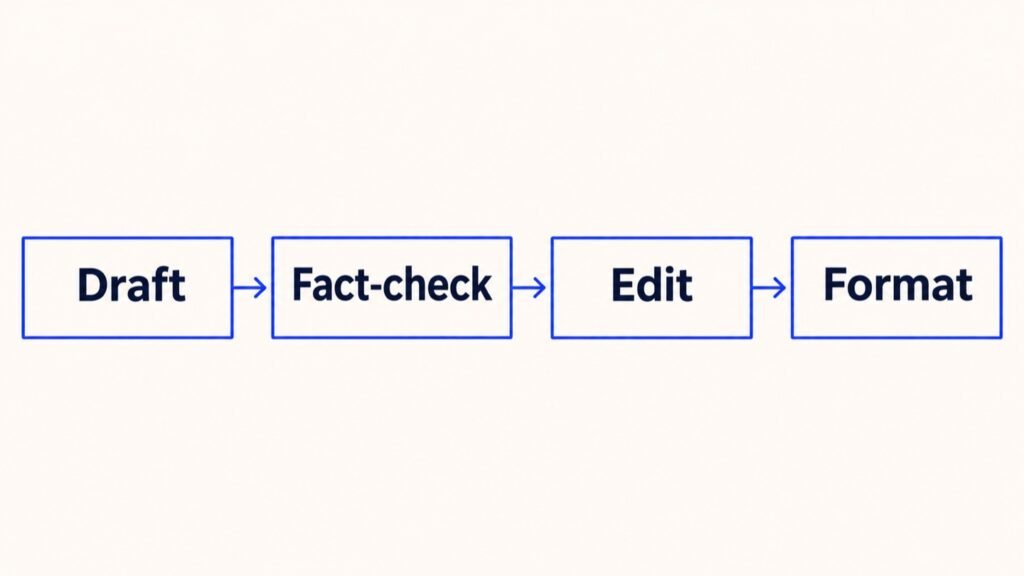
Record your active minutes for drafting, fact-checking, editing, and formatting. Include prompting and retries in the drafting time. Count time spent opening cited pages and checking names, numbers, and claims under fact-checking. Put structural rewrites and sentence cleanup under editing. Count moving the copy into WordPress and fixing its blocks and links under formatting.
Track setup separately if you have to create a template or connect an integration. If you also care about how quickly a post is ready to go live, record elapsed time alongside active work. A long generation delay can affect turnaround even if you were free to do something else.
Google Search Central recommends checking AI-assisted content for accuracy, quality, and relevance. During review, open the original source and check that it supports what the draft says. A plausible citation or a working link alone is a poor substitute for reading the source.
Calculate the time the tool actually saved
Suppose your usual workflow takes 25 minutes to draft, 10 to fact-check, 15 to edit, and 5 to format. That is 55 minutes. The AI-assisted draft takes 10, 18, 17, and 5 minutes, respectively. That is 50 minutes. In this example, the first draft was 15 minutes faster and the finished article was 5 minutes faster.
Write down what caused the extra review time. Missing sources and unsupported claims point to a different problem than awkward sentences or formatting cleanup. If you made those corrections repeatedly, try a smaller task on the next pair, such as turning verified notes into an outline. Compare it using the same finish line.
Decide whether the gain is worth paying for
Repeat the comparison on another pair of similar articles. If the savings persist, multiply the typical minutes saved by the number of posts you realistically publish in a month. Five minutes across eight posts is 40 minutes. Compare that with the subscription price and the work you could realistically do with the time.
Keep a tool for the tasks where it saves time without making you lower your publishing standard. If the advantage is inconsistent, test a narrower role or keep your current setup. Before subscribing, look at what to check before paying for an AI writing tool, including the limits on the plan you would actually use.
Related FAQ
Start with the task, not the tool. AI plagiarism check workflow is useful when it removes a repeated bottleneck from a real publishing workflow instead of adding another app to manage.
AI fact checking workflow is worth paying for when it saves review time, improves clarity, or keeps a creator publishing more consistently. If it only creates more testing and setup work, the free option may be enough.
The main risk is tool drift. A creator can spend more time testing AI publishing workflow than publishing, so the tool should be judged by output quality and saved attention.
AI tool stack is worth paying for when it saves review time, improves clarity, or keeps a creator publishing more consistently. If it only creates more testing and setup work, the free option may be enough.
Start with the task, not the tool. AI product comparison tools is useful when it removes a repeated bottleneck from a real publishing workflow instead of adding another app to manage.
Before You Go
Paid links- Advertisement -