Content creation looks simple from the outside.
You get an idea. You write the post. You choose an image. You publish it. Then you move on to the next one. But it rarely feels that clean when you are doing it alone.
An idea starts in one note. A title is saved somewhere else. The draft moves into another document. Image prompts sit in a folder. The final post waits in the website editor. Then a new idea appears before the first one is even published. That is when the work starts to feel larger than it really is.
The problem is not always a lack of ideas, and it is not always a lack of tools either. For many solo creators, the harder part is knowing where each piece of the work should go next.
A content creation workflow is not about making the process complicated. It is about making the path clear enough to follow again tomorrow.
More ideas can make the work harder to finish
Ideas feel useful when they first appear.
A new post idea can make the whole site feel more alive. A new title can open a better angle. A new image concept can make the article feel closer to finished. That early energy matters, especially when a creator works alone. But more ideas can also create more unfinished loops.
A creator may have ten article ideas, five title drafts, three image directions, and two half-written posts. None of them are useless. The problem is that they all ask for attention at the same time. Instead of moving one piece forward, the creator keeps deciding which one should come next.
That is where a workflow becomes important. A good workflow does not collect every idea equally. It helps decide what stays as a note, what becomes a draft, what waits for later, and what should be finished this week.
Without that decision, the idea pile starts to feel like progress. But progress is not the same as accumulation.
Every idea needs one clear place to land
A content creation workflow starts before writing.
It starts when an idea appears and needs somewhere to go. If that place changes every time, the creator has to search before working. One idea may be in a notes app. Another in a browser bookmark. Another in a message to yourself. Another sitting inside an AI chat that is hard to find later.
That is not a small problem. Every scattered idea creates a small return cost — remembering where the thought came from, what it was connected to, and whether it was worth using. That memory work is quiet, but it makes the next step heavier.
A simple idea inbox reduces that friction. It can be a spreadsheet, a notes page, a content calendar, or a plain document. The tool is less important than the habit.
A content creation workflow becomes easier when every idea has one clear place to enter the system. That place does not need to be beautiful. It only needs to be trusted.

The idea list and the active work should stay separate
Not every idea should become an active draft.
This is where many creators lose focus. They see a good idea and open a new document immediately. Then another idea appears, and another document opens. After a few days, there are many beginnings but not enough finished work.
A better workflow keeps the idea list apart from active work. The idea list can be messy — rough titles, future angles, unfinished thoughts, keyword notes, image directions, small observations. It does not need to be polished because it is not the final workspace.
The active work area should stay smaller. One article in writing, one in editing, one waiting to publish. Keeping that space tight makes the work easier to see and keeps the creator from treating every interesting thought as urgent.
The idea list is for possibilities. The active workflow is for movement.
A draft without a clear next step is a draft that stalls
A draft can get stuck even when the writing itself is not bad.
Sometimes the problem is that the draft has no visible next step. Is it waiting for more research? A better title? Images? Is it ready to edit, or still a rough outline? If the status is unclear, the creator has to reread the whole piece just to understand what to do next. That is a slow way to work.
A content creation workflow should make draft status visible. The labels can be simple: idea, outline, draft, edit, image, upload, published. They are not exciting, but they prevent the same question from returning every day.
When a draft has a clear status, the creator does not need to rebuild the context from scratch. The next step is already waiting — and that makes it easier to return after a break without feeling like everything will be lost.
The title should not wait until the end
Many creators treat the title as something to fix at the final step.
That can work sometimes, but it can also let the draft drift. If the title is unclear during writing, the article may try to answer too many questions at once. The introduction points one way, the middle goes another, and the conclusion quietly changes the promise.
A title does not have to be final from the start. But the article needs a working promise. That working title tells the creator what the post is really about, keeps the examples close to the reader’s reason for clicking, and helps decide what does not belong.
For a solo creator, this matters especially because there is no editor asking whether the post is still on topic. The working title becomes a small editor inside the workflow.
Before drafting too far, one question helps: what problem is this article supposed to help the reader see more clearly? If that answer is vague, the workflow will feel vague too.
Images work better when they enter the workflow early
Images are often left until the end.
The writing is finished, the post is almost ready, and then the creator has to make or find images quickly. That is when filenames become random, alt text becomes thin, and the visual direction may not match the article anymore.
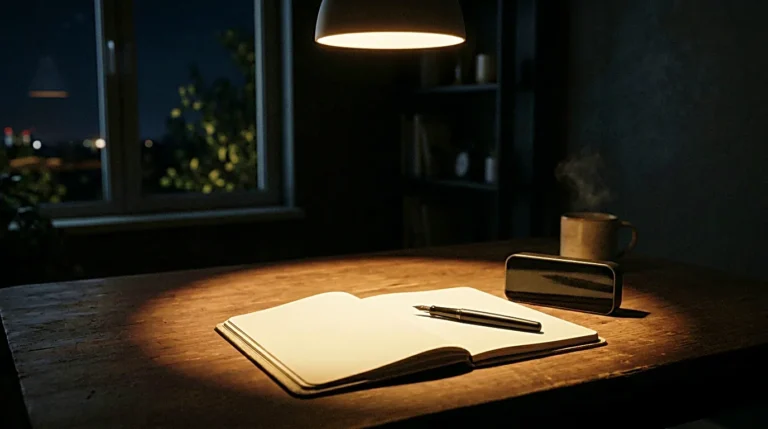
Bringing images in earlier does not mean finishing them before writing. It only means the visual direction should be clear before the final upload. Is the post about a quiet desk? A checklist? A laptop with notes? A workspace at night? These decisions settle more naturally while the article is still taking shape.
When the image direction connects to the article early, the final step stays calm. The creator already knows what kind of image belongs, what filename makes sense, and what the alt text should say. At that point, the image is not decoration. It becomes part of the article’s path.

Edit the direction before the details
Editing can turn too small too quickly.
A creator may start fixing commas, replacing words, and polishing sentences before checking whether the article still has the right shape. That feels productive, but it can cover a bigger problem. A clean sentence does not help much if the section itself does not belong.
The first editing pass should check direction. Does the introduction match the title? Does each heading move the article forward? Does the middle section repeat the same idea too often? Does the conclusion return to the first problem? Is there one clear sentence the reader can take away?
After that, the smaller edits matter more — rhythm, transitions, word choice. But they land better when the structure is already settled. Otherwise, the creator may spend time polishing a paragraph that needs to be removed.
A good workflow keeps editing connected to the reader’s path, not just the surface of the text.
The publishing step should not depend on memory
Publishing has too many small details to keep in your head.
Title, slug, category, meta description, image filenames, alt text, final read, preview, published URL. These steps are not hard on their own, but they are easy to miss when the creator is tired.
A simple checklist holds the routine without requiring memory. It only needs to cover the details that repeat every time. The more often a step repeats, the less it should rely on recall.
This is not about becoming rigid. It is about saving attention for the parts of the work that actually need judgment. The checklist carries the repeated parts. The creator stays with the article.
A published post should leave a trail
A post that disappears into the site after publishing stops being useful to the system.
The final title, slug, main keyword, image filenames, and published URL saved somewhere accessible — that small record becomes more valuable as the site grows. It helps with future content planning, prevents repeating the same topic too closely, and makes the site easier to connect over time.
Without a trail, every post feels separate. With one, each post becomes part of something that builds.
For a solo creator, the website is not only a place to publish. It is a structure that has to stay manageable as it grows. A workflow that makes the system messier with each new post is not helping enough.
A good content creation workflow makes the next article easier to begin, not just the current one easier to finish.
The workflow should be small enough to repeat
The best content creation workflow is usually smaller than the creator first imagines.
It does not need a large dashboard, ten tools, a complicated automation map, or a perfect calendar. One place for ideas. One place for active drafts. One place for images. One checklist before publishing. One place to save the final URL.
That is enough to build a serious routine.
The test is not whether the workflow looks impressive. The test is whether it still works when the creator is tired, unsure, or short on time. A workflow that only holds up on a motivated day is not stable enough. The one worth keeping is the one that still works on a slow afternoon.
A clear path makes the work feel quieter
Content creation does not become easy just because the workflow is clear.
There will still be slow drafts, weak titles, ideas that do not become posts, and articles that take longer than expected. That is normal. But a clear workflow removes one kind of noise.
The creator does not have to wonder where the idea went. The draft status is visible. The image direction is settled before the final rush. The publishing step has a checklist. The URL returns to the system. The next article has a cleaner place to begin.
That is the quiet value of a content creation workflow. It does not do the creative work. It gives the creative work a path — and for a solo creator working alone, a clear path is often what makes the difference between a good idea and a finished post.
Related FAQ
It should become its own article when the reader has one clear question that cannot be answered well inside another post. Otherwise, it may work better as a section or FAQ.
content publishing checklist helps when it makes the next article easier to plan, publish, or connect internally. The value is not the tool itself, but the clarity it adds to the site structure.
It should become its own article when the reader has one clear question that cannot be answered well inside another post. Otherwise, it may work better as a section or FAQ.
Decide the page job first. content creation workflow works best when it supports a clear reader path instead of becoming another checklist with no publishing decision behind it.
It should become its own article when the reader has one clear question that cannot be answered well inside another post. Otherwise, it may work better as a section or FAQ.
Before You Go
Paid links- Advertisement -