
The article looked organized.
There was a title. There was an opening. There were several sections. Each part had a heading, and the page did not look empty anymore. From a distance, it looked like a real blog post. Then I read only the headings.
Something felt off.
The headings were not wrong, but they did not carry the article forward. Some were too broad. Some sounded like labels from a template. Some repeated the same idea in different words. The article had sections, but the reader path was still unclear.
That is when blog post headings start to matter. For creators, headings are not just places to divide the article. They are small promises inside the post. Each one tells the reader why the next section exists and what it will help them understand.
A good heading does not need to be clever. It needs to give the section one clear job.
A heading is a step, not just a break in the page
When a reader scans a post, the headings show the path before the full article is read.
If the headings are clear, the reader understands the shape of the article quickly. If the headings are vague, the post feels heavier than it really is. This matters especially for creator articles, because many readers arrive with a practical task in mind — checking a draft, planning a post, choosing a keyword, or trying to publish with less hesitation. They do not want to guess where the article is going.
A heading should answer a quiet question: why should the reader keep going here? If it cannot answer that, the section may need a clearer job.
Generic headings make the article feel like a templat
Some headings are too general to help.
“Introduction.” “Tips.” “Important points.” “Things to remember.” “Final thoughts.” These headings organize a page, but they do not make the article feel specific. They could belong to almost any post — and that is the problem.
A creator article should feel written for a specific reader moment. If the post is about blog post headings, the headings should reflect the real work: making sections useful, keeping the reader path visible, avoiding repeated points, checking whether each section earns its place. Generic headings create distance. They make the article look structured, but not guided. The reader sees a list of sections instead of a path through the problem.
A better heading does more than label the topic. It shows what changes in that section.
Each section works better with one job
A weak heading often tries to hold too much.
The section may cover SEO, readability, examples, structure, and editing all at once. The ideas may be related, but the reader has to work too hard to follow what the section is actually doing. A stronger heading carries one job: one heading explains why generic headings weaken the article, another shows why each section needs one purpose, another checks whether the headings match the title.
When each heading has one job, the article feels calmer. The reader does not have to rebuild the logic of the post. The heading gives the section a clear role before the paragraph begins.
Blog post headings work best when each section has one clear job and moves the reader one step closer to the final takeaway. That is the standard worth keeping.
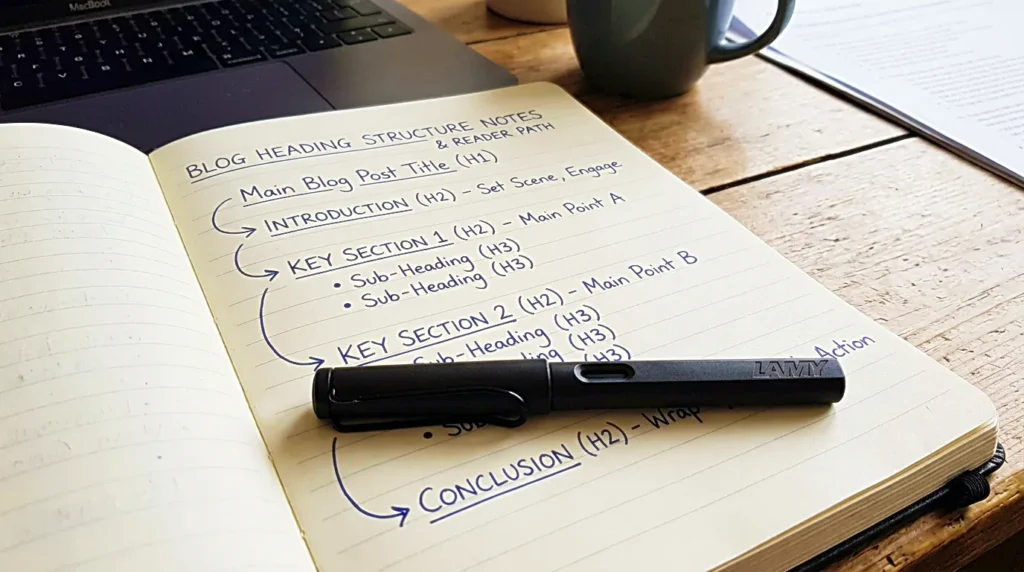
The heading and the section below it should keep the same promise
A heading creates an expectation. The section below has to keep it.
This sounds obvious, but it is easy to miss while drafting. A heading may promise one thing, then the paragraph slowly moves somewhere else. The writer follows a useful thought, adds a related example, and ends the section in a different place from where it began. The reader feels that drift — they may not name the problem, but the article starts to feel less clean.
Before publishing, it helps to read each heading and ask whether the section really delivers that promise. If the section is stronger than the heading, rewrite the heading. If the heading is stronger than the section, tighten the section. A heading and its section should feel like they belong to the same small room.
The headings should match the title’s promise
The title is the largest heading of the article. Every smaller heading should support it.
If the title promises a practical guide for creators, the headings should stay close to creator work. If the title promises a checklist, the headings should feel like checks. If the title promises help before publishing, the headings should not drift into broad theory. Reading the title first, then reading only the headings, is one of the easiest ways to catch a weak outline. Do they feel like the same article? Do they answer the reader problem the title created?
A heading can be useful and still not belong in the post. Not every good idea fits under the current title. Some sections need to become separate posts. Some need to be removed. Some need to be renamed so they support the article more clearly.
A good heading protects the title from drifting.
Order creates trust
Headings do not only need to be clear. They need to appear in the right order.
A section about final review should not come before the article explains what the reader is checking. A section about examples should not appear before the reader understands the problem. Order creates trust — the reader should feel that each section appears because the previous one made it necessary. The article should not feel like a set of useful blocks placed at random.
One natural order for creator writing: start with the reader’s problem, narrow the article, show the role of headings, explain how each section should have one job, check whether the headings match the title, then move into examples, SEO, and final review. That order shifts depending on the topic, but the reader should always feel a path.
Headings should make scanning easier
Most readers do not read every word first. They scan — not because they are careless, but because they are checking whether the article is worth their attention. Headings help them make that decision.
A good heading stays clear even without the paragraph below it. It should not be so vague that the reader has to enter the section to understand what it means, and not so clever that the meaning becomes hidden. Clever headings work in essays, but practical creator articles usually need clarity first.
This does not mean the headings have to sound plain. They can still carry tone — calm, specific, editorial. But the main job is guidance. A heading should tell the reader what they will get before they spend attention on the section.
SEO should not make headings stiff
Headings help SEO, but they should not become keyword containers only.
A creator finds a main keyword, then forces related phrases into every heading. The article may look optimized, but the reading experience turns stiff. The headings start to sound mechanical instead of useful. A better approach places the main idea naturally. If the article is about blog post headings, one or two headings can use the phrase or a close variation. Other headings can use related language: section job, reader path, title promise, scanning, outline, structure, final review. That gives the article topical clarity without making every heading sound the same.
Search engines need structure, but readers need movement. The best headings usually help both because they make the article easier to understand. If a keyword makes the heading worse, the heading should win.
Labels tell the topic. Movement headings tell what changes.
Examples make heading advice easier to apply.
“SEO” is a label. “SEO should not make headings stiff” gives the section a job. “Examples” is a label. “Labels tell the topic. Movement headings tell what changes.” tells the reader why the section exists. That difference is small, but it changes the feel of the article.
For creator writing, movement headings are usually stronger. They make the article feel less like a template and more like a guided path. They also make editing easier, because each heading becomes a standard for the section below it. If the section does not move the reader, the heading exposes that problem quickly.

The final heading should slow the article down, not open a new one
The last heading before the conclusion matters.
It should not introduce a large new topic. It should prepare the reader to return to the main idea. If the final section opens a new angle, the article feels unfinished — the reader reaches the end, but the post is still expanding. A good final heading helps the article slow down: it can check the full path, return to the title, or help the reader review the draft.
For a post about blog post headings, the final section brings the reader back to the simple standard: each section needs one clear job, and the headings should show the path of the article before the reader reads every paragraph. That makes the conclusion easier to write. The ending does not need to summarize every section. It only needs to close the loop.
Strong headings make the draft easier to trust
Blog post headings are not decoration. They are part of the writing.
They help the creator see whether the article has a path, whether the title’s promise is still alive, and whether any sections are repeating ideas or trying to do too much. For a solo creator, the heading list acts like a quiet editor. Before polishing every sentence, reading the headings alone and asking whether the article still makes sense is often enough to find the weak spots.
Do the headings move forward? Does each section have one job? Do the headings match the title? Can the reader scan the article and understand the path?
If those answers are clear, the draft becomes easier to trust — and a heading that simply helps the reader keep going is already doing most of its job.
Related FAQ
It should become its own article when the reader has one clear question that cannot be answered well inside another post. Otherwise, it may work better as a section or FAQ.
It should become its own article when the reader has one clear question that cannot be answered well inside another post. Otherwise, it may work better as a section or FAQ.
It should become its own article when the reader has one clear question that cannot be answered well inside another post. Otherwise, it may work better as a section or FAQ.
It should become its own article when the reader has one clear question that cannot be answered well inside another post. Otherwise, it may work better as a section or FAQ.
It should become its own article when the reader has one clear question that cannot be answered well inside another post. Otherwise, it may work better as a section or FAQ.
Before You Go
Paid links- Advertisement -