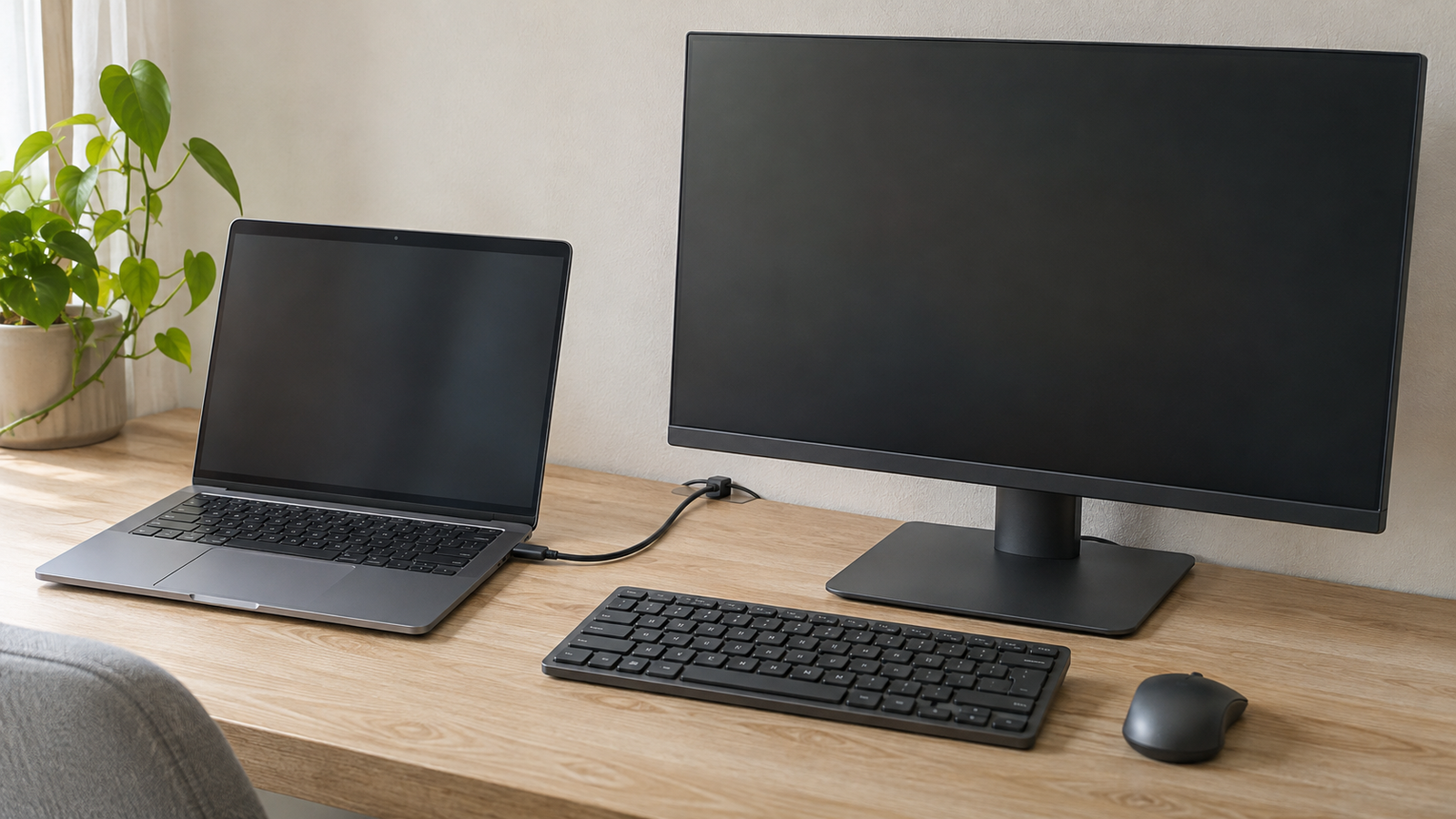
You unplug your laptop to leave and the cable slips behind the desk. When you come back, the monitor and keyboard are where you left them, but the plug is somewhere near the floor. Start by giving the cable you disconnect every day a place to wait. Once that end stays within reach, the cables that stay connected can follow the back of the desk.
Set the laptop where you use it
Open the laptop where you normally work and connect what you use on a typical day. If you type on the laptop, keep it at typing distance. If you use an external keyboard, set the laptop where the lid can open freely and you can reach its ports. If the monitor still needs adjusting, settle on a comfortable screen position before fixing anything to the desk.
Now unplug what you would remove before leaving. Those are the cables that need to stay accessible. The monitor’s power lead and the cables that run from a dock to equipment that stays at the desk can sit farther back. If you use separate cables for charging and an external display, both loose ends need a place to land.
Leave your mouse and notebook where they normally sit while you decide where the plugs should go. A spot that looks convenient on an empty desk may be right where you turn a page or rest your hand.
Give the unplugged cable a place to land
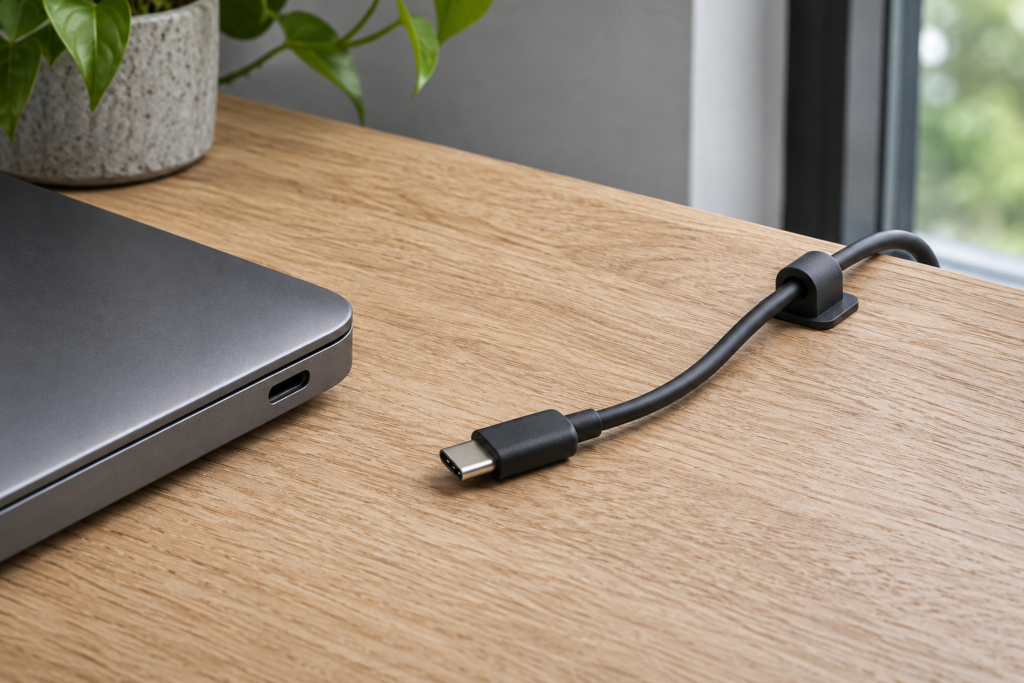
Unplug the cable and set the end down where you would reach for it the next time you sit down. The rear edge works if your hand gets there comfortably. On a deep desk, try the side closest to the laptop. Put the laptop down again and check that you can still pick up the plug.
A small cable clip can hold the jacket while leaving the connector free to pick up. Try the position before attaching the clip. Hold the cable where the clip would sit and let the unplugged end rest on the desk. If the connector drops below the edge, bring the clip farther onto the surface or shorten the length that hangs free.
If you unplug two cables, leave a little space between their resting places so you can pick up either one without pulling the other. For a dock with a short built-in lead, try moving the dock closer to the laptop before choosing a spot for the clip.
Leave room for the laptop to move
Plug the cable back in and move the laptop the way you would during a workday. Slide it over to open a notebook or turn it slightly for a call. The cable should still have a gentle curve near the port at the farthest position you actually use. If it pulls straight, give the laptop end a little more length.
If you use an adjustable laptop stand, check the cable at the height and angle you return to most often. Watch where the cable passes the edge of the stand as you open the lid or move the laptop. A clip a little farther to the side can give the connector enough space to clear the platform.
Once the working end has enough room, gather any spare length behind the desk. A reusable tie lets you reopen the bundle when you move a dock or change which side of the laptop you plug into.
Try leaving and coming back
Before fixing the clip in place, run through an ordinary trip away from the desk. Unplug the laptop, take it off the desk, then put it back and reconnect. Notice where you set the laptop down first. If it lands on the cable, move the clip a little to the side and try again.
Give the new route a full work session before fastening the rest of the cables. A few minutes will show whether the plug is easy to find. A longer session will show whether the cable has room when you make space for notes, turn the laptop for a call, or move it back at the end of the day.
Related FAQ
It should earn its space. On a small desk, laptop stand height needs to reduce friction without adding clutter, cable mess, or another maintenance task.
It should earn its space. On a small desk, minimal desk setup needs to reduce friction without adding clutter, cable mess, or another maintenance task.
It should earn its space. On a small desk, portable monitor setup needs to reduce friction without adding clutter, cable mess, or another maintenance task.
It belongs before the work becomes complicated. quiet desk setup should make it easier to start, continue, or recover from a session without adding more mental noise.
It belongs before the work becomes complicated. eye strain at desk should make it easier to start, continue, or recover from a session without adding more mental noise.
Before You Go
Paid links- Advertisement -