An ergonomic desk setup often begins with the wrong question. The desk feels uncomfortable, the neck feels tight, the shoulders rise without notice, and the first instinct is to buy something. A new chair looks like the answer. A monitor arm feels like a serious upgrade. A laptop stand, a desk mat, a wrist rest, or a better keyboard all seem like they could fix the problem.
Sometimes they help.
But many uncomfortable workspaces do not fail because one accessory is missing. They fail because the screen, chair, and body are not lined up before the gear is added.
A desk can look clean and still make the body work too hard. A monitor can be sharp and still sit at the wrong height. A chair can be expensive and still feel wrong if the screen pulls the head forward all day. The setup may look complete in a photo, but the body notices the small mismatch after two hours.
An ergonomic desk setup is not built by adding more gear first. It begins by removing the posture problems the current setup is already creating.
This matters even more for solo creators, remote workers, and people who sit at a desk for long blocks of time. A workspace is not only a place to place devices. It is the place where attention, posture, and fatigue meet every day. If the basic position is wrong, every tool added on top of it has to fight the same problem.
The screen decides more than people expect
The screen is usually the strongest object in the workspace. The eyes follow it. The head follows the eyes. The shoulders and back follow the head.
That is why screen height matters so much.
If the screen sits too low, the neck starts to bend downward. It may not feel serious during the first few minutes, especially if the work is interesting. But over time, the head slowly moves forward, the upper back rounds, and the shoulders begin to hold tension. The problem does not always feel like a screen problem. It can feel like neck fatigue, shoulder heaviness, tired eyes, or a general sense that the desk is uncomfortable.
If the screen sits too high, the opposite problem appears. The chin lifts, the eyes stay slightly raised, and the neck has to hold an unnatural angle. This can feel cleaner at first because the posture looks more upright, but it may still become tiring.
A comfortable screen position should let the head stay mostly neutral. The eyes should meet the upper part of the screen without forcing the chin up or down. The goal is not a perfect measurement. The goal is a setup where the body does not have to keep correcting itself.
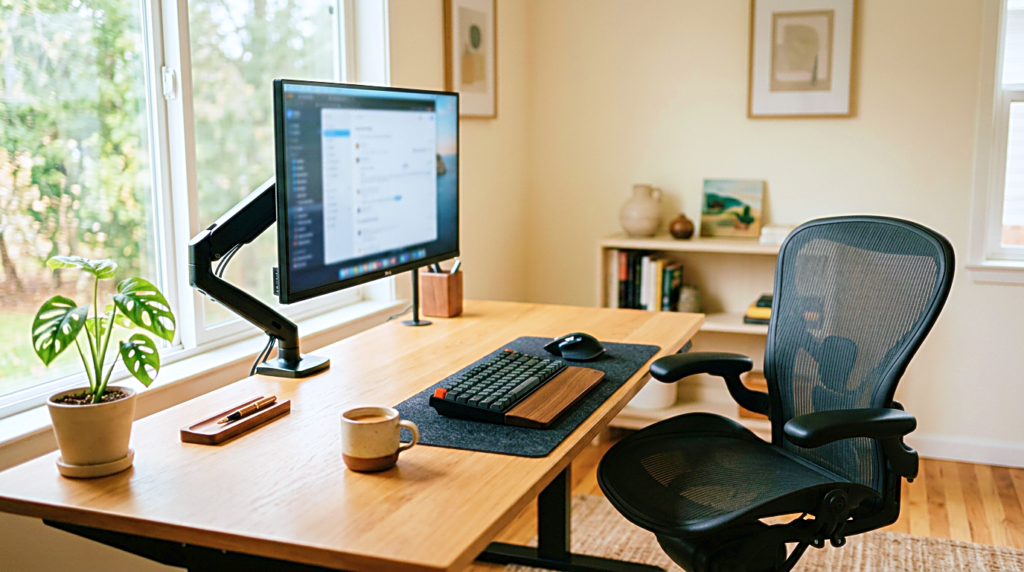
A monitor stand or monitor arm can help, but only after the right height is understood. Buying the stand first can create another problem if it only makes the screen look better without making the body feel better.
Laptop setups need extra attention
A laptop is convenient because everything is in one place. That is also the reason it creates problems.
The screen and keyboard are attached. If the laptop is low enough for the hands, the screen is usually too low for the eyes. If the laptop is raised high enough for the eyes, the keyboard becomes too high for comfortable typing.
That is why long work sessions on a bare laptop often become uncomfortable. The body has to choose between the neck and the wrists. It cannot satisfy both for very long.
For a short session, this may not matter. For a full workday, it matters a lot.
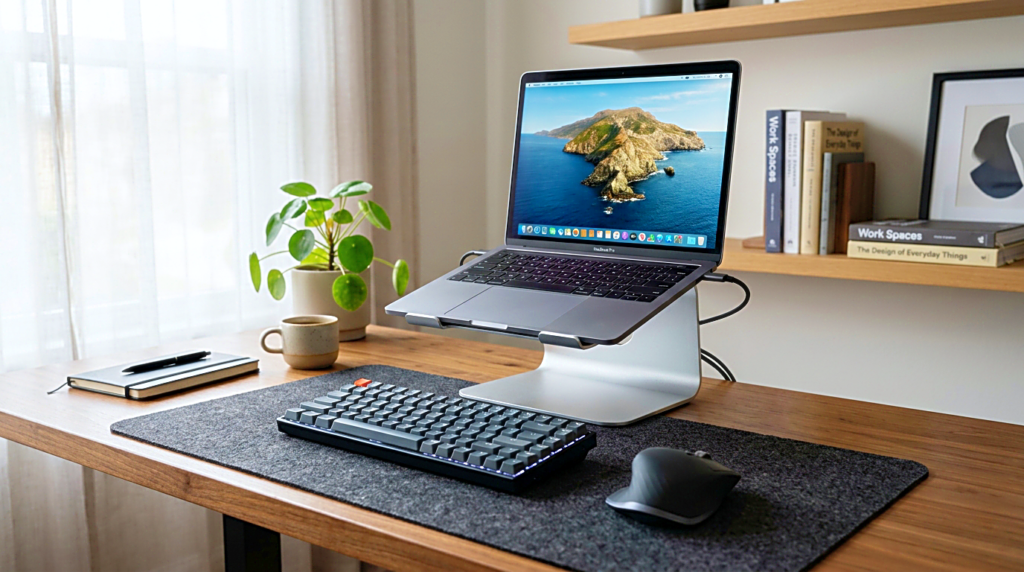
A better laptop desk setup usually separates the screen from the hands. The laptop can be raised to a more comfortable viewing height, while an external keyboard and mouse stay lower on the desk. This does not have to be expensive. The important part is not the brand of the stand. It is the separation of viewing height and typing height.
The mistake is treating a laptop stand as a visual accessory. It is not there only to make the desk look cleaner. Its real job is to stop the screen from pulling the head down while keeping the hands in a calmer position.
Chair height should follow the work, not the photo
A chair can look correct and still be set wrong. Many people adjust the chair until it looks good next to the desk, not until the body feels supported.
The chair height should help the feet rest steadily and allow the arms to work without the shoulders lifting. If the chair is too low, the elbows may reach upward toward the desk. If it is too high, the feet may lose stable contact with the floor. Both positions create small tension that builds quietly.
The desk height also matters. Some desks are fixed, so the chair has to adapt. If raising the chair helps the arms but lifts the feet off the floor, a footrest can become more useful than another expensive chair accessory. If the desk is too high, even a good chair can feel wrong because the shoulders keep rising toward the keyboard.
This is why ergonomic desk setup should not be judged from the chair alone. The chair, desk, keyboard, mouse, and screen work as one system. A good chair cannot fully compensate for a screen that is too low or a desk that keeps the shoulders lifted.
The body does not experience the setup as separate products. It experiences the whole arrangement.
Viewing distance changes eye fatigue
Screen height is not the only screen problem. Distance matters too.
A monitor that is too close can make the eyes work harder than necessary. A monitor that is too far away can make the user lean forward or increase font size until the page layout feels awkward. Neither problem always appears immediately. The discomfort often shows up later as eye fatigue, forehead tension, or a habit of moving closer to the screen without noticing.
A comfortable viewing distance should let the text feel readable without leaning forward. The screen should be far enough to relax the eyes, but close enough that the body does not chase the words.
This is especially important for creators who read, edit, write, or manage websites for long hours. Writing and editing are not passive screen tasks. The eyes move constantly between lines, menus, previews, images, and small interface details. If the monitor distance is slightly wrong, the fatigue can become part of the work before the person realizes it.
Before buying another light, keyboard, or desk accessory, it is worth checking whether the screen is simply too close, too far, too low, or too bright for the session length.
More gear can hide the real problem
Desk setup content often makes improvement look like collection. Add a monitor arm. Add a mechanical keyboard. Add a desk shelf. Add speakers. Add lighting. Add cable trays. Add another stand. The desk becomes more complete, but not always more comfortable.
A good workspace can use gear. It just should not depend on gear to hide a basic mismatch.
If the monitor is too low, a beautiful desk shelf may help because it raises the screen. But the useful part is not the shelf itself. The useful part is the new screen height. If the keyboard causes wrist tension, a new keyboard may help, but only if its height, angle, and position match the hands. If the chair causes fatigue, the chair may matter, but the desk and screen still have to be checked with it.
This is where many setups become expensive without becoming better. The user keeps adding items around the discomfort instead of finding the source of it.
A simple test helps.
Sit down, place both feet steadily, relax the shoulders, look at the screen, and notice what the body wants to do. If the chin drops, the screen may be low. If the shoulders lift, the desk or keyboard may be high. If the body leans forward, the text may be too small, the monitor too far, or the chair position wrong. If the eyes feel tense quickly, brightness, distance, or glare may need attention.
That test is not perfect, but it brings the setup back to the body instead of the shopping list.
A clean desk is not always an ergonomic desk
A clean desk can feel calming. It reduces visual noise and makes work easier to begin. But clean does not always mean ergonomic.
A desk can have perfect cable management and still place the screen too low. It can have a beautiful lamp and still create glare. It can have a premium chair and still force the shoulders upward because the desk is too high. It can look ready for a productivity photo while quietly making the body tired.
This difference matters because many people copy how a desk looks, not how it works.
An ergonomic desk setup should be judged by use. Can the person sit down and begin without adjusting the body every few minutes? Can the neck stay neutral? Can the shoulders remain low? Can the eyes read without strain? Can the hands work without reaching too far forward?
The visual result can still be clean. It just has to follow the working position, not the other way around.
Start with the first five minutes
A desk does not need to be rebuilt all at once. The first five minutes can reveal enough.
Before buying new gear, sit at the desk as if the work session has already started. Open the screen you use most. Put your hands where they normally rest. Look at the top half of the screen. Type a few lines. Move the mouse. Then stop and notice the first place that feels slightly wrong.
The first problem is often the one the body has been compensating for all along.
If the screen feels low, raise it temporarily with something stable and test the difference. If the shoulders rise, lower the chair or keyboard position if possible. If the feet are unstable, fix that before judging the chair. If the eyes feel strained, adjust brightness and distance before blaming the monitor. If the laptop pulls the head down, consider separating the screen height from the keyboard height.
This kind of testing is slower than buying a new accessory, but it usually leads to better decisions.
The right gear becomes easier to choose after the problem is named. A monitor arm makes sense when the screen height and distance need flexible adjustment. A laptop stand makes sense when the laptop screen is too low for long work. A footrest makes sense when chair height solves the arms but leaves the feet unsupported. A better chair makes sense when the current chair cannot support the body even after the desk position is corrected.
The purchase becomes an answer to a real condition, not a guess.
A quieter way to improve the desk
An ergonomic desk setup does not have to look technical. It does not need to become a perfect workstation. It only needs to reduce the small forces that make work harder than it has to be.
Start with the screen. Then check the chair. Then check the hands. Then check the distance. After that, decide whether a product is actually needed.
A better setup is often less dramatic than a full desk makeover. The monitor rises a little. The chair changes height. The laptop gets separated from the keyboard. The screen moves slightly farther away. The light stops hitting the eyes directly. Nothing looks extreme, but the work session feels different.
That is the point.
The best desk setup is not the one with the most accessories. It is the one that lets the body stop negotiating with the workspace all day.
Related FAQ
Comfort usually decides whether the setup is used consistently. Specs matter, but desk chair should first fit the body, room, and work session.
It should earn its space. On a small desk, minimal desk setup needs to reduce friction without adding clutter, cable mess, or another maintenance task.
Comfort usually decides whether the setup is used consistently. Specs matter, but productive desk setup should first fit the body, room, and work session.
Check the actual friction first: sound, light, posture, screen distance, or visual clutter. home office desk setup helps only when it solves the part of the workspace that is breaking focus.
Comfort usually decides whether the setup is used consistently. Specs matter, but window light at desk should first fit the body, room, and work session.
Before You Go
Paid links- Advertisement -